Web platform
WordPress is the obvious choice for most web projects
WordPress is the most widely used CMS in the world. It powers almost 40 per cent of all websites and almost six in ten sites that use a CMS. It is open source with no licence fees, and it is used by everyone from small businesses to publishers and global groups.
Simple site, yourselves
Build it yourselves
With the official resources and a well-kept theme, you can go a long way.
Simple site, professional
Bishop
Our group’s design agency builds company websites that reflect your brand.
Many editors, languages or integrations
Angry Creative
We build business-critical websites in WordPress on Qala, at a fixed price.
Why WordPress
In an AI world, you should own your tools
It has never been easier to let an AI code up a website. But a website has to be updated, secured and edited for years, by more people than the one who built it. WordPress is open source that you own, with a community that maintains it for you.
6 in 10sites with a CMS run WordPress (W3Techs, Nov 2026)
77,000+free plugins in the WordPress.org directory
875+people contributed to WordPress 7.0
£0in licence fees, now and in the future
You own the code.
Open source under the GPL. No vendor can raise the licence price, as Webflow and Squarespace did in 2026.
More people can take over.
There are more WordPress developers than for any other CMS. A vibe-coded site is often understood only by the person who built it.
Ready for most things.
Ready-made solutions and simple connections to other systems, so the budget goes on what makes you unique.
For your editors
An editor your team will actually enjoy
Owning your site also means you can change it yourselves. In the block editor, every page is built from blocks, and you see the page as it will look while you build it.
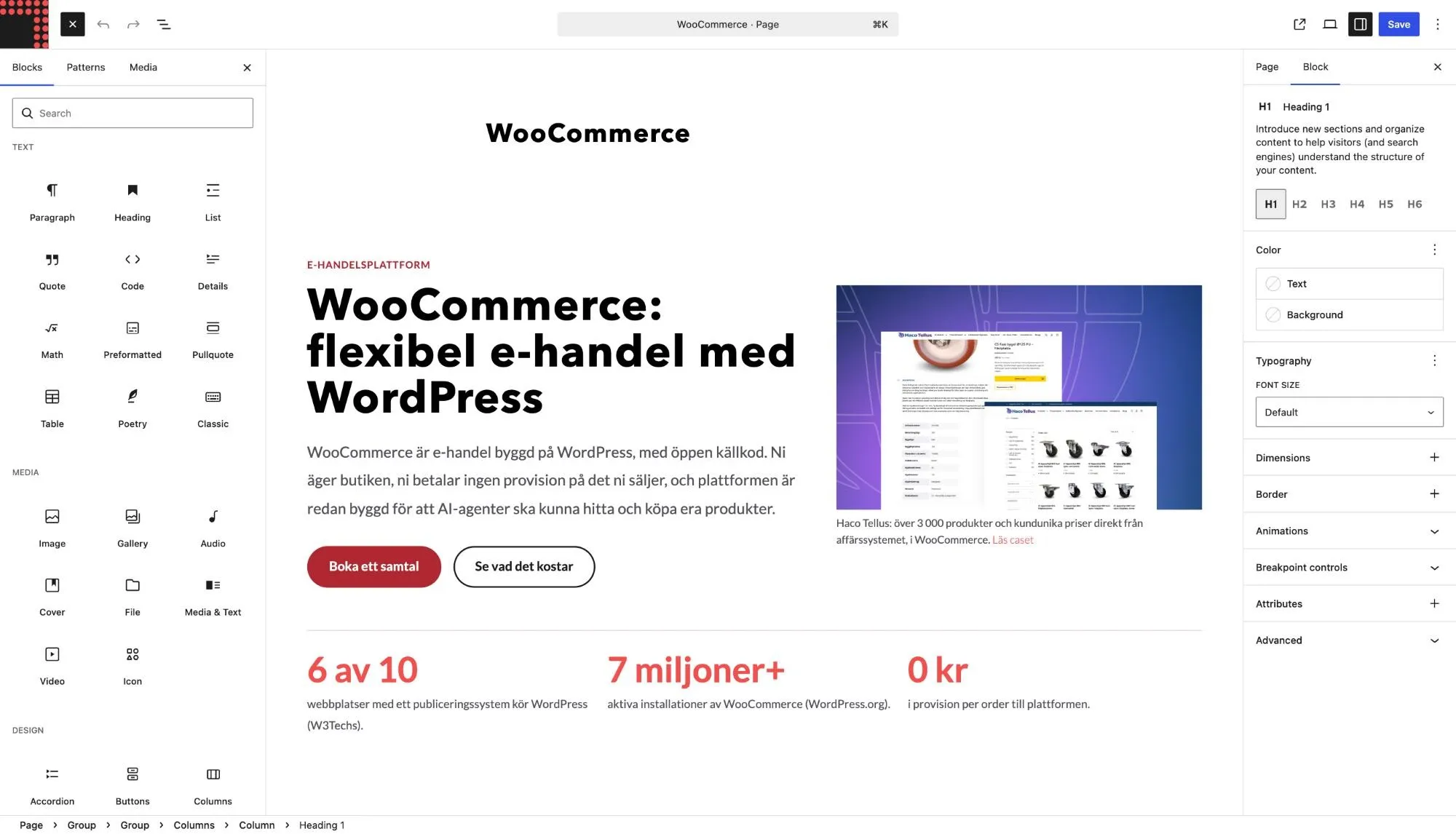
The block editor on our own site: a page with the block inserter open and the heading selected.
Looks like the page
You edit right in the layout, not in a form on the side.
Ready-made patterns
Reusable sections keep new pages in the same style.
Visual revisions
Since WordPress 7.0, you compare versions side by side.
Command palette
Ctrl+K or ⌘K takes you straight there without digging through menus.
Security
Security holes get fixed fast, if someone rolls out the fix
Open source means anyone can read the code, including people looking for holes. Even so, the WordPress core is well protected, and a security team of more than 50 experts fixes what is found. The risk lies in the plugins and in how quickly the fixes reach your site.
91%of the 11,000+ vulnerabilities found in 2025 were in plugins. Six were in core (Patchstack).
That is why we choose few, well-maintained plugins, and roll out fixes straight away on the sites we manage.
PHP2Shell, October 2026
From alert to patched servers in just over a day
- 20 Oct 22:32PHP announces two critical holes
- 21 Oct 15:12Attack route closed on every server
- 21 Oct 16:00PHP releases the fix
- 21 Oct 18:16We start rolling it out
- 22 Oct 01:32Every client updated
For AI agents
Let an AI agent do the work, without handing over the keys
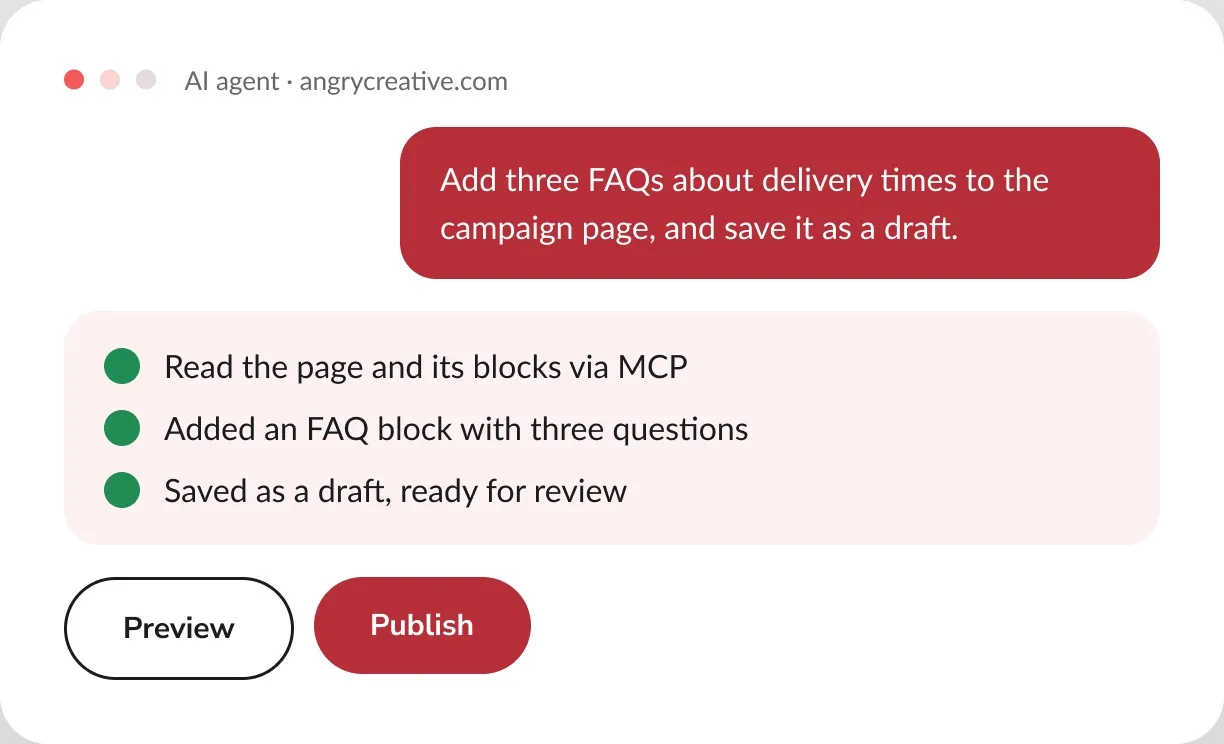
The same site can be edited by an AI agent. WordPress has an interface for agents in core, the Abilities API, and an official plugin for MCP. The agent gets its own user with the permissions you choose, and every change is saved in the revision history.
We do it ourselves: this site is being rebuilt with Claude via MCP
Qala
When the site is business-critical, we build it on Qala
Agents, editors and integrations need a stable foundation. Qala is our packaging of WordPress and WooCommerce: thousands of hours of finished work on blocks, security, performance and integrations. It is not a proprietary platform. Everything is open source and the code is yours.
What makes you uniqueBuilt in the project, at a fixed price
QalaAlready there: thousands of hours of finished work
WordPress and WooCommerceThe foundation: open source that you own
Qala fits when
- Many people edit, with roles and permissions
- The site runs in several languages or for several brands
- It needs to connect to a CRM, ERP or PIM
- It has a lot of traffic or is business-critical
Choose something else when
- The site is simple and rarely changesBuild it yourselves or let Bishop do it.
- It is more of an app than a websiteA custom system in Laravel is a better fit.
- None of these fit?We will tell you straight in the first call.
Fixed pricefor the whole project
Four weeksuntil the foundation is ready
Hosting includedin the support plan, with updates and security
Case studies
How we have done it for others
Media and publishers
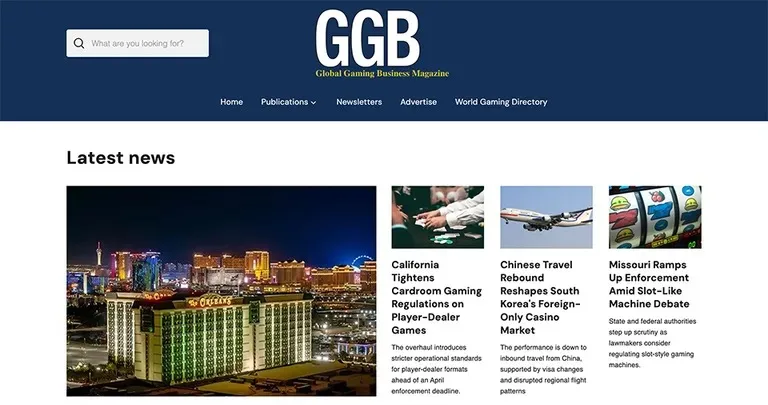
Global Gaming Business
Four digital brands brought together on a fast WordPress platform for North America’s leading trade magazine for the casino industry.

Security, multiple brands
AddSecure
A WordPress Multisite where content is managed across brands and markets.
More case studies
Plan International: multilingual WordPress for a global organisation →
FAQ
Common questions about WordPress
Can’t find the answer? Book a call and we will take it from there.
Build it yourselves
How to build a simple website yourselves
Not everyone needs an agency. For a simple site you can get a long way on your own, and that is how WordPress is meant to work. Here is how to get started.
- Choose a host with WordPressMost hosts install WordPress in one click. Choose one that handles backups and server updates.
- Choose a block themeStart with the default theme or a well-kept block theme from the theme directory. Then you can change colours, fonts and the header yourselves.
- Build pages with blocks and patternsHeadings, images, buttons and ready-made patterns are added with the plus button. You see the page as it will look while you build.
- Keep it updatedTurn on automatic updates, use few plugins and take backups. That goes a long way for a simple site.
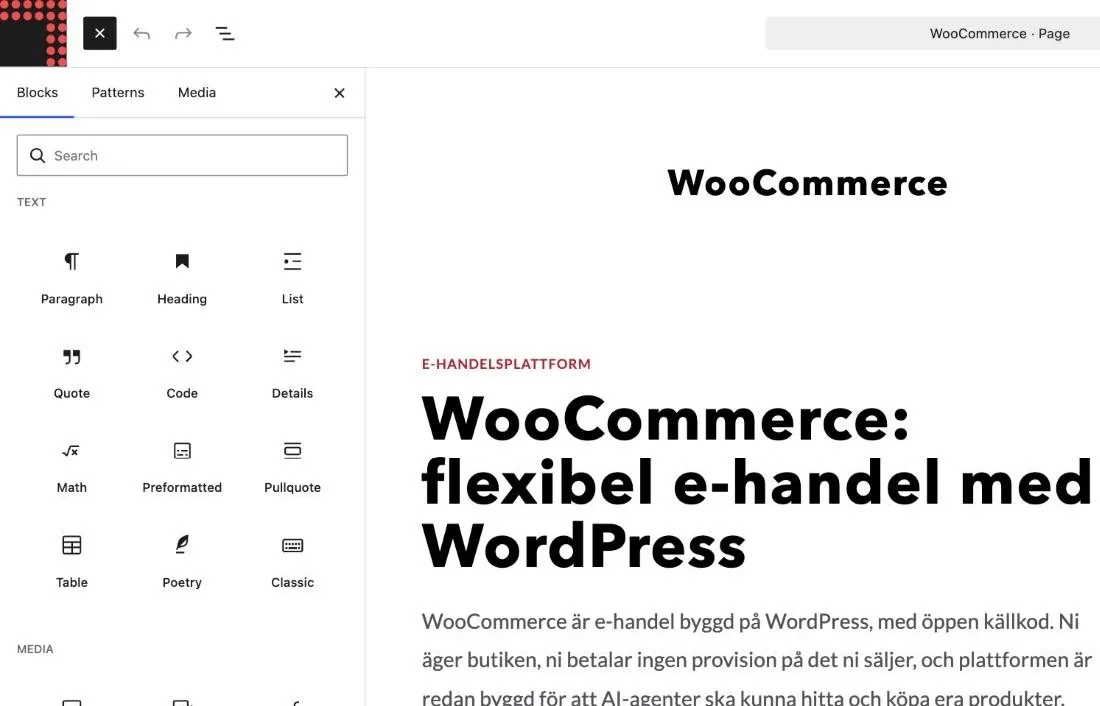
The plus button opens the block inserter: text, images, buttons and ready-made patterns.
Good places to get help
Learn WordPressFree courses and lessons for editors and developers.learn.wordpress.org
The theme directoryThousands of free themes, filterable by block themes.wordpress.org/themes
The support forumsAsk questions and get answers from the community.wordpress.org/support
Our guides:Plan a WordPress websitePrepare your contentMake your site securePros and cons
Outgrowing it?
Bishop builds company websites that reflect your brand. When the site becomes business-critical, it can move over to Qala, because it is WordPress all the way.
Two ways there
Build new or let us take over
Build new on our foundation, or let us take over what you have and start with an audit. Book a first call with Amy Slade.
- Pick a time in the calendar
- Tell us about your site and what it needs to do
- Get a straight answer on which route fits
Further reading
Read more about WordPress
Guides and comparisons from our knowledge hub.